¶ Managing Access to JupyterHub
When you put in a request for a hub, your account and other accounts you specify (TAs) in the request are added as administrators. While you can always open a support ticket with LSIT to add or drop access, it's often useful to be empowered to make those changes on your own.
¶ Adding an Administrator
Please remember that Administrators will be able to access all other user's environments and data!
- Go to your instance's URL and access the Admin page. ( ie:
https://example.college.ucsb.edu/hub/admin) - If a user is already listed in the admin console, click the "Edit User" button...
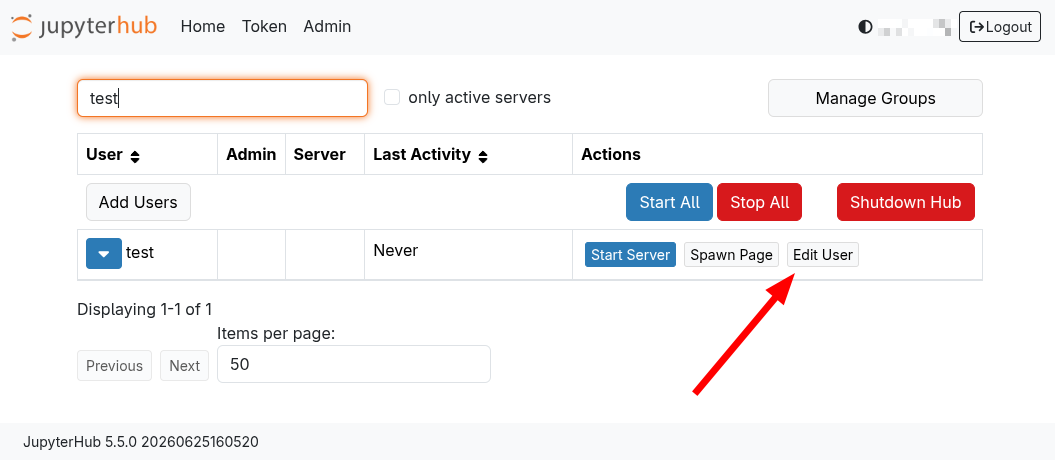
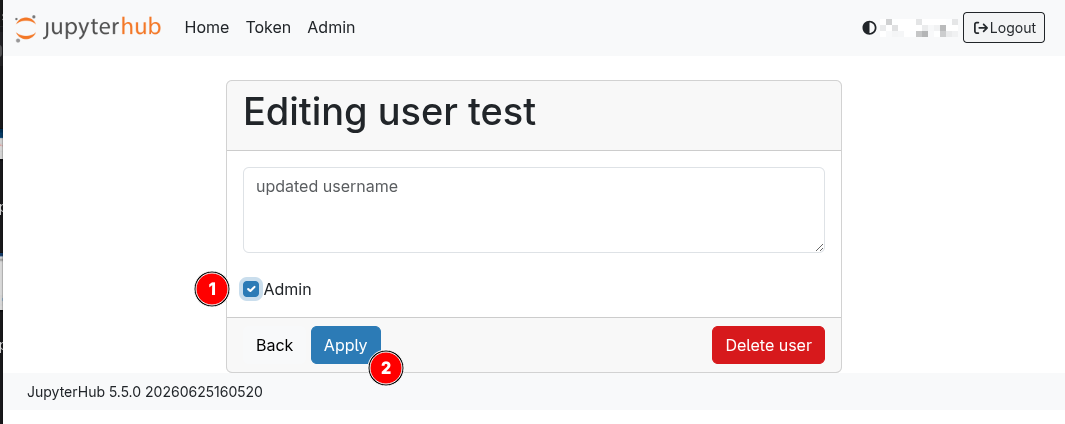
and then select the Admin checkbox(1). Click the "Apply" button (2) to save your changes.
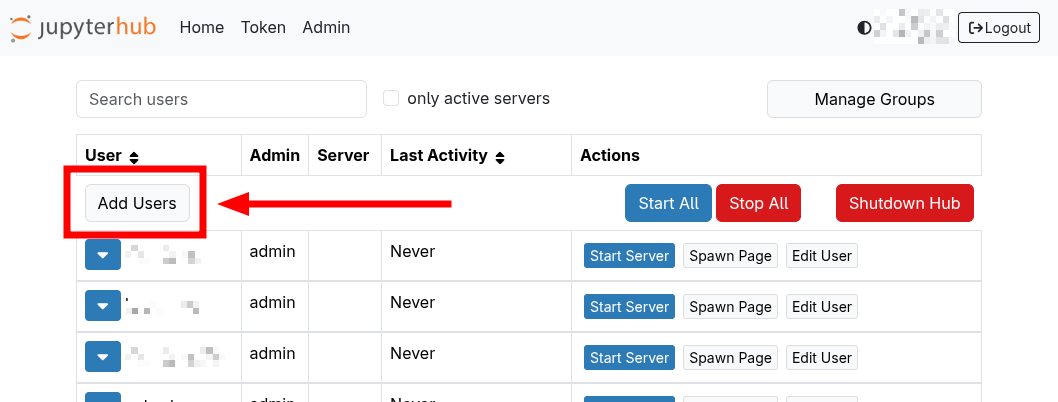
- If the user is NOT listed in the admin page yet, you can add them. First click on the "Add Users" button.
- Then enter their UCSB NetID, select the Admin checkbox then click the Add User Button.
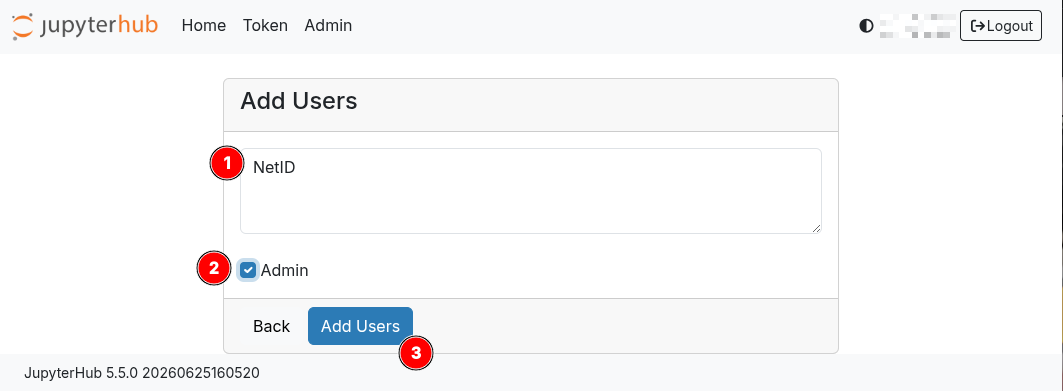
After these steps, the user will show up in the Admin Console with the text "admin" next to their NetID.
¶ Access for Other Users
UCSB community members can log in using their UCSB Google login and an account will be automatically provisioned for them on their first login.